Mount Pleasant · Kenosha · Milwaukee, WI | Serving clients in 29 states

Home Resources

Resources

Videos and guides

Value-packed resources helping leaders make strategic IT decisions.

Topics

All resources

How to Get the Best from Microsoft Copilot – A Smart Prompting Guide
Guide

How to Get the Best from Microsoft Copilot – A Smart Prompting Guide

Microsoft Copilot can be a powerful tool, but the results you get depend a lot on how you prompt it. This guide is designed to help users get more out of Copilot by improving how they write prompts. Instead of using Copilot like a search bar, it shows how clear, detailed instructions can lead to output that is more useful for day-to-day work.
Get the Guide →
IT Partner Comparison Checklist
Checklist

IT Partner Comparison Checklist

Choosing an IT partner can be harder than it should be. A lot of providers say they offer managed IT services, but what that actually looks like can vary a lot from one company to the next. This checklist is designed to make that comparison easier by giving you a side-by-side look at the services, support, and strategic guidance that matter most when you are deciding who to trust with your environment.
Download Checklist →
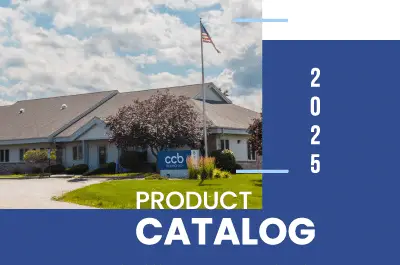
CCB Product Catalog
Ebook

CCB Product Catalog

A product catalog should do more than list devices and prices. The CCB Product Catalog gives businesses a practical look at the hardware, licensing, accessories, and IT services CCB supports, so it is easier to see how those pieces fit together. Rather than treating procurement as a separate task, the catalog helps connect product decisions to the bigger picture—your budget, refresh cycle, security needs, and the support required to keep everything running smoothly.
View Catalog →
Ye Olde Guide to Email Security
Infographic

Ye Olde Guide to Email Security

Explore email security through a medieval lens. This guide breaks down phishing protection, email gateway security, SIEM for Microsoft 365, MDR, backups, and business continuity – using a castle analogy to make cybersecurity simple, engaging, and memorable.
View Guide →
Key Considerations for Secure Copilot Adoption
Checklist

Key Considerations for Secure Copilot Adoption

Adopting Microsoft Copilot can unlock a lot of value, but getting it ready for real business use takes more than just turning it on. This checklist is designed to help you look at the security side before Copilot becomes part of day-to-day work. It focuses on the questions that matter early on—where sensitive data lives, who can access it, what Copilot can surface, and whether the right protections are already in place.
Download Checklist →
Why Choose CCB as a Non-local IT Partner
Infographic

Why Choose CCB as a Non-local IT Partner

When you’re considering a non-local MSP, it’s not just about whether someone can remote in and fix a problem—it’s about whether they’ll actually feel like a partner when things get stressful. This resource, Why Choose CCB as a Non-local IT Partner lays out what to look for when your IT support isn’t down the road, and why distance doesn’t have to mean slower help or a less personal experience. The goal is simple: you should still feel heard, understood, and cared for, whether you’re 5 miles away or 500.
Download infographic →
How AI Can Help & Hinder Security Efforts
Video

How AI Can Help & Hinder Security Efforts

In this session, we’ll explore the impact and enhancement of AI in modern security tools, highlighting the benefits provided for detecting and preventing cyber threats in ways impossible for human agents to manage alone. We will examine the current landscape of AI technologies and their future potential, including their role in sophisticated targeted attacks.Additionally, we’ll explore the evolution of the tools and techniques employed by security professionals and attackers alike. Our discussion will provide evidenced insights into some of the areas threat actors are currently concentrating on and what measures are being tested to combat their development.
Watch now →
Tech Strategy Summit 2024: The Future of AI & Security
Summit

Tech Strategy Summit 2024: The Future of AI & Security

AI is weaving its intricate web deeper into the fabric of our daily lives and will soon become an indispensable tool in the workplace. But do we truly comprehend what its capabilities are or what we may be relinquishing by letting it in? Check out the recordings from this year’s summit that was crafted for business leaders and IT professionals looking to dive into the world of artificial intelligence with a special focus on Microsoft Copilot.
Access the Summit →
Changing the Conversation Between IT & Executives
Video

Changing the Conversation Between IT & Executives

Effectively communicating the need for technology replacements to executives is crucial for business alignment. But “if it ain’t broke, don’t fix it,” right? Wrong! As an IT pro, it’s critical to explain the rationale behind these decisions, including strategic goals, cost savings, enhanced security, improved productivity, and support for future growth.
Watch video →
The Meaning of EOL & Why It Matters
Video

The Meaning of EOL & Why It Matters

Knowing when your IT assets reach End of Life (EOL) is key to keeping your systems secure and running efficiently. At CCB Technology, we understand the pressure IT professionals face when dealing with EOL, End of Sale, and End of Support timelines. Our video guide, The Meaning of EOL & Why It Matterss, helps break down these terms so you can make confident, informed decisions.
Watch video →
The Ultimate Guide to IT Refresh Cycles
Ebook

The Ultimate Guide to IT Refresh Cycles

Keeping IT infrastructure up-to-date through regular refresh cycles is crucial for maintaining a competitive edge and safeguarding your business against emerging threats. These cycles not only ensure that operations run smoothly and efficiently, but they also play a pivotal role in aligning your technology with your long-term business objectives and growth plans.Refreshing your IT systems isn’t just a technical task—it’s a strategic move that helps keep your business secure, efficient, and ready for what’s next. At CCB Technology, we help organizations align their IT infrastructure with long-term goals, so their systems support—not slow down—growth. Our IT refresh guide offers practical advice on planning, budgeting, and executing upgrades that keep costs predictable and operations running smoothly.Regularly updating your technology reduces the risks tied to outdated hardware, improves performance, and lays the
Download ebook →

Creating a culture of security
Ebook

The Guide to Creating a Culture of Security

Cybersecurity isn’t just an IT issue—it’s everyone’s responsibility. CCB Technology’s Guide to Creating a Culture of Security shows how to make security part of your company’s everyday routine. It focuses on practical ways to help your team stay alert to threats, make smarter choices online, and protect sensitive information. No matter the size of your organization, creating good security habits across all employees is the key to staying one step ahead of cybercriminals and reducing everyday risks.The guide walks through the most common risks businesses face today—from weak passwords and phishing emails to unsafe Wi-Fi connections and personal device use. It also covers how to build stronger internal policies, like clean desk rules, password hygiene, and safe internet practices that can be applied across different departments. With real-world examples and
Download ebook →

Let’s talk

Pick a time that works. We’ll take it from there.

Thirty minutes, no obligation, and no salesperson reading from a script. Choose a slot and tell us a little about your business, and we’ll come to the call already understanding what you need.